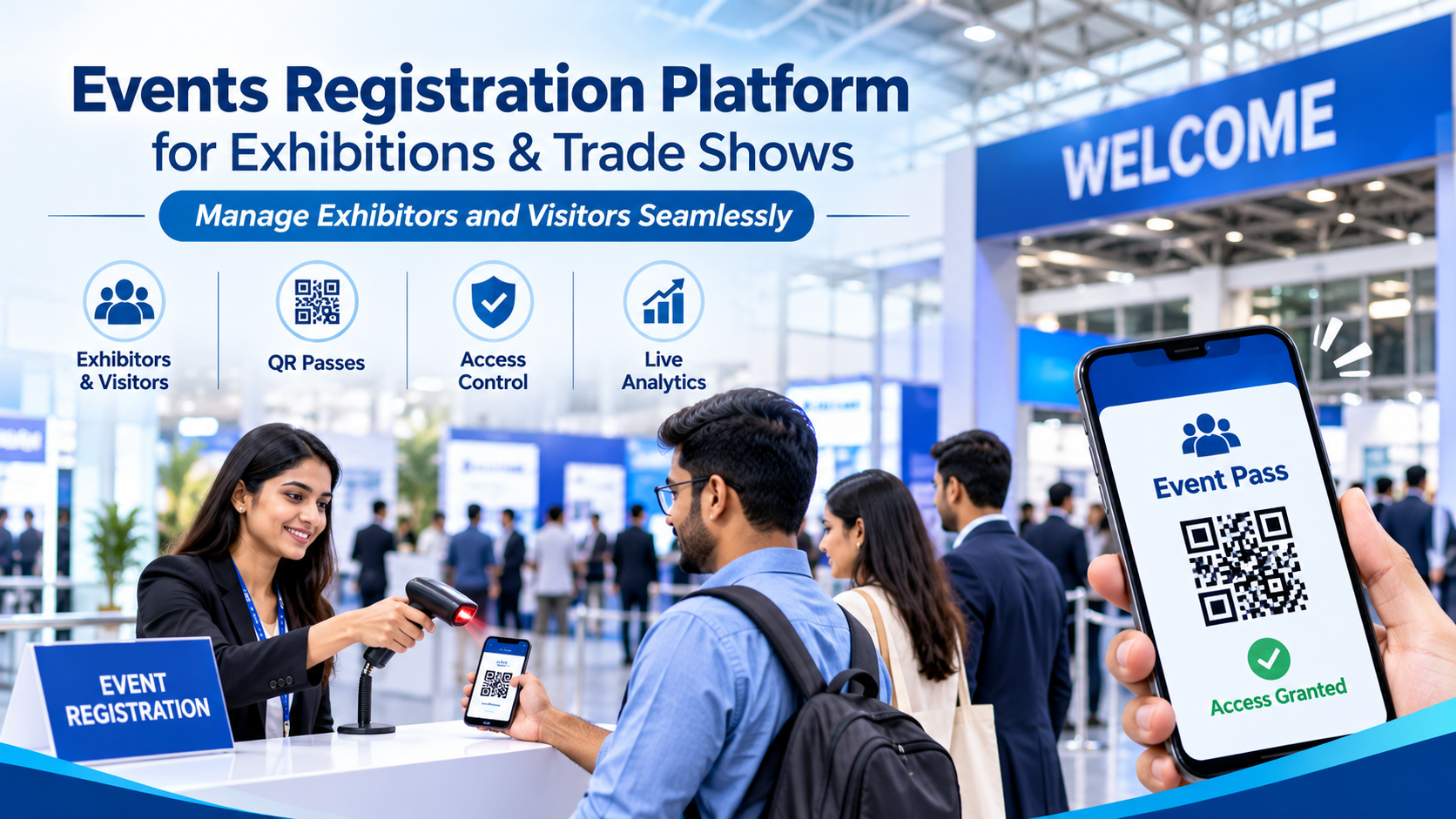
An events registration platform can manage exhibitors and visitors together, as long as it gives each group its own registration type, QR pass and access rules, then shows everyone in one live dashboard.
Trade shows put two crowds through one gate on the same morning. This guide shows how that works, panel by panel, so you can scan it in five minutes.
THE EXHIBITION AT A GLANCE
| 3 crowds | 1 gate | 1 QR pass each | 1 live dashboard |
| Exhibitors, visitors, VIPs | Separate lanes, one system | Rules attached to the pass | Footfall visible in real time |
Quick Summary
- Exhibitors, visitors and VIPs need different passes and rules.
- QR scans replace name searches at a busy gate.
- Access rules belong on the pass, not in a volunteer’s memory.
- Live data helps you manage the crowd while the show is still running.
- AccessEase combines branded sign-up, WhatsApp QR passes, access control, free and paid tickets and live tracking.
Can an Events Registration Platform Manage Both Exhibitors and Visitors?
Yes. A capable events registration platform handles exhibitors and visitors in one system by giving each group a separate registration type, a unique QR pass and its own access rules. Organisers see every group together in a single live dashboard, instead of reconciling separate lists by hand.
PANEL 1: THE JOURNEY, FROM SIGN-UP TO REPORT
REGISTER ──► CONFIRM ──► SCAN ──► ENTER ZONE ──► REPORT
(online or (QR on (gate (rules (live
cash) WhatsApp) staff) checked) numbers)
| Stage | Exhibitor | Visitor | VIP |
| 1. Register | Package or invitation | Free or paid sign-up | Invitation or approval |
| 2. Confirm | QR for each team member | QR on WhatsApp | QR on WhatsApp |
| 3. Scan | Early lane at setup | Main lane at opening | Priority lane |
| 4. Enter | Stall and setup areas | Exhibition halls | Lounge and special areas |
| 5. Report | Team attendance | Footfall counts | Arrival record |
PANEL 2: ANATOMY OF A SMART PASS
Every pass should answer four questions the moment it is scanned:
| Question | What the scan should show |
| Who is this? | Name and registration type |
| Are they valid? | Registered, paid, not already used |
| Where can they go? | Zones and time slots allowed |
| What do they get? | Extras, such as dining access |
An event registration system that attaches these rules to each QR code lets gate staff scan once and move on. No arguments, no second checks.
Pro Tip: Write your access rules on one page before building anything. If you cannot explain them in a few lines, your volunteers will struggle to apply them.
Want to see these passes in action? Talk to the AccessEase team for a quick walkthrough.
PANEL 3: WHY QR PASSES WIN AT THE GATE
| Manual list | QR pass |
| Staff search names | One scan |
| Forwarded passes slip through | Duplicates are flagged |
| Rules argued at the counter | Rules sit on the pass |
| Headcount unknown until later | Count updates live |
Event registration software that issues a unique QR code to every person turns the busiest ten minutes of your show into a routine one. AccessEase sends each code on WhatsApp, where most visitors will look first.
PANEL 4: THE OPENING-HOUR RUSH (ILLUSTRATIVE)
Arrivals
▲
│ ████
│ ████████
│ ████████████
│ ██████████████████
└──────────────────────────► Time
Opening Peak Lunch
Most trade shows see a surge shortly after the doors open. The fix is not more hope, it is more lanes at the right hour.
- Before the peak: open every scanning lane.
- During the peak: watch the live dashboard and move volunteers to the longest queue.
- After the peak: close extra lanes and redeploy staff to the halls.
PANEL 5: BASIC SIGN-UP VS FULL PLATFORM
| What a large show needs | Basic event signup software | Full platform like AccessEase |
| Collect names and details | ✅ | ✅ |
| Separate pass types | ⚠️ Limited | ✅ Multiple ticket categories |
| QR entry | ⚠️ Often missing | ✅ Unique code, sent on WhatsApp |
| Access rules | ❌ | ✅ Linked to each pass |
| Live check-in data | ❌ | ✅ Real-time analytics |
| Support on show days | ⚠️ Varies | ✅ Team available |
Confirm each row with any vendor in a demo, since features differ between tools.
PANEL 6: WHAT TO LOOK FOR IN AN EVENTS REGISTRATION PLATFORM
Use this as a scoring card when you compare tools. Give each item 1 point.
- Separate registration types for exhibitors, visitors, VIPs and staff
- Unique QR pass for every person
- Access rules linked to pass type
- Free and paid tickets in one setup
- Online and cash registrations recorded together
- Live footfall and check-in dashboard
- Branded sign-up page
- Support you can reach on show days
Scoring: 7 to 8 is a strong fit. 5 to 6 needs questions. Below 5, keep looking.
PANEL 7: DO AND DON’T
| ✅ Do | ❌ Don’t |
| Create separate passes for each group | Give everyone the same pass |
| Test a real scan on two phones | Trust the demo alone |
| Mark gate lanes clearly | Send all groups to one queue |
| Watch the dashboard at opening | Count heads after the show |
| Brief volunteers on failed scans | Leave staff to improvise |
Common Mistake: Choosing an events registration platform built for single-session events, then asking it to run a multi-day fair with several crowds.
PANEL 8: HOW ACCESSEASE FITS
AccessEase is an events registration platform built around how events actually run, so organisers do not have to change their workflow. A small exhibition may need only free visitor registration, while a major fair may need several paid ticket categories.
As an event registration system and event registration software in one, AccessEase offers:
| Feature | What it does for your show |
| Free and paid events | Multiple ticket categories, online and cash registrations |
| Branded sign-up page | Matches your exhibition identity |
| Instant QR passes | Unique code per person, sent on WhatsApp |
| Access control | Privileges such as dining linked to each code |
| Real-time analytics | Registrations and check-ins as they happen |
| Integrations and support | Fits your existing tools, with a team to help |
Ready to manage exhibitors and visitors from one platform? Visit AccessEase and book a demo.
Conclusion
Exhibitions run smoothly when every exhibitor, visitor and VIP arrives with the right pass for the right door. That takes separate registration types, QR entry, access rules and live data working as one. Choose an events registration platform that treats these as core features, and your opening morning becomes the easiest part of the show. AccessEase brings sign-up, WhatsApp QR passes, access control and real-time tracking together. Ready to make your next exhibition effortless? Visit AccessEase and book a demo.
Frequently Asked Questions
Does an event registration system support separate VIP, exhibitor, and visitor registration types?
A good event registration system supports separate registration types, such as VIP, exhibitor and visitor, each with its own pass and access rules. AccessEase offers multiple ticket categories and access control linked to each QR code. Confirm exactly how exhibitor and VIP categories are set up for your show with the AccessEase team.
Can event registration software generate QR passes for trade show entry?
Yes, event registration software commonly generates unique QR passes for trade show entry, which staff scan at the gate to verify each person quickly. AccessEase issues a unique QR code for every guest and delivers it on WhatsApp, so exhibitors and visitors arrive with their passes ready.
Is event signup software enough for a large exhibition?
Basic event signup software is usually not enough for a large exhibition, because trade shows also need QR entry, access rules, separate pass types and live reporting. AccessEase combines sign-up with WhatsApp QR passes, access control and real-time analytics. Confirm capacity for your expected footfall with the AccessEase team.