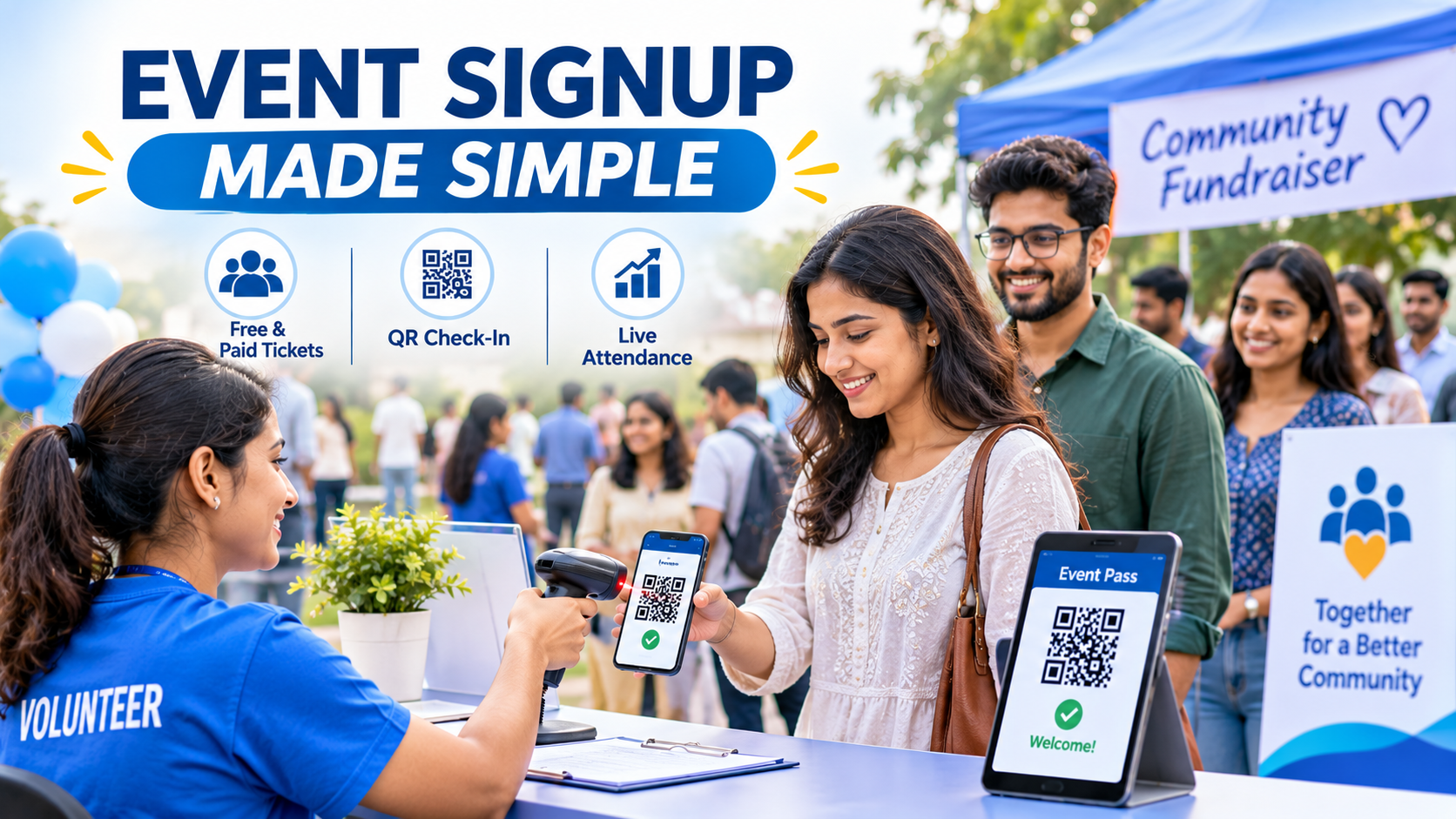
The best event signup software for nonprofits and community events keeps costs low, handles free and paid sign-ups, confirms people instantly on WhatsApp and makes entry fast, so a small team can run a big event without burning out.
Picture the week before your charity fundraiser. Three volunteers are copying names from WhatsApp messages into a sheet, one is chasing a donor who “definitely paid,” and the treasurer is asking how many people are really coming. Nobody volunteered to be a data-entry clerk.
Nonprofits and community groups run on goodwill, tight budgets and borrowed hours. Every minute spent on admin is a minute taken from the cause. This guide covers what to look for, how to set it up and which traps to avoid, in plain language, so you can do more with less.
Quick Summary
- Nonprofit events mix free guests, paying donors, sponsors and volunteers, so one flat sign-up form rarely fits.
- The budget is more than the software price. Volunteer hours, cash mix-ups and no-shows cost real money too.
- WhatsApp confirmation and QR entry remove most of the manual work.
- Check how any tool handles donations and volunteer sign-ups before you commit.
- AccessEase combines branded sign-up, WhatsApp QR passes, free and paid tickets, cash and online registrations, access control and live tracking.
What Is the Best Event Signup Software for Nonprofits and Community Events?
The best event signup software for nonprofits and community events is affordable, simple enough for volunteers to run, and flexible enough to handle free entry, paid tickets and cash payments together. It should confirm every guest instantly, speed up check-in with QR passes and show live numbers for your board and funders.
“Best” depends on your event, so use three quick tests:
- Can a first-time volunteer run it? If it needs training, it will fail on the day.
- Does it match how your community pays and communicates? In India, that usually means WhatsApp and a mix of online and cash.
- Does it stay affordable as you grow? A tool that suits a 50-person meet-up may not suit a 1,500-person fair.
Why Nonprofit and Community Events Are Different
A corporate seminar has staff, budgets and a clear guest list. A community event has none of those luxuries, and it carries extra expectations.
- Tight budgets. Every rupee spent on tools is a rupee not spent on the cause.
- Volunteers run the show. They change every year, and they are often new to the work.
- Mixed audiences. Free guests, paying supporters, sponsors, volunteers and beneficiaries may all arrive together.
- Cash is common. Many supporters prefer to pay at a desk, and your records must still add up.
- Trust matters. Donors judge your cause partly by how organised your event feels.
- Reporting matters. Boards, funders and sponsors expect clear numbers afterwards.
Software built only for paid corporate events often ignores half of this list.
The 9 Must-Haves for Nonprofit Event Signups
1. Transparent, affordable pricing
Ask for the total cost for your actual event size, not a headline rate. Many registration softwares are priced for corporate budgets, with fees that only show up after launch, such as extra charges on paid tickets or for support. Get the full picture in writing.
2. Free and paid tickets in one setup
A typical fundraiser has free volunteer entries, discounted supporter tickets and full-price donor tables. One tool should handle them all, so nobody maintains a second list.
3. Online and cash registrations together
If cash sign-ups live in a notebook, your records will never match your bank. Choose a tool that lets volunteers record cash registrations in the same system as online ones.
4. Instant WhatsApp confirmation with a QR pass
Your supporters already live on WhatsApp. An instant confirmation with a unique QR code stops the endless “did my registration go through?” messages, and it gives each guest a pass they can show at the gate.
5. Fast QR entry that volunteers can run
A volunteer with a phone can scan a QR code in seconds. Compare that with a volunteer searching a long printed list while a queue builds. Fast entry also stops forwarded or duplicate passes.
6. A short, branded sign-up page
A clean page with your logo and cause builds trust. Keep the form short: name, WhatsApp number and ticket type. Every extra field costs you sign-ups.
7. Separate registration types
Guests, donors, sponsors, volunteers and beneficiaries often need different passes and access. Look for ticket categories and access rules linked to each pass, such as a dinner pass for donors and a day-pass for volunteers.
8. Live numbers for boards and funders
A dashboard that shows registrations and check-ins in real time lets you answer “how many are here?” instantly and gives you data for your impact report.
9. Support that answers on event day
Volunteer-run events cannot afford a silent helpdesk. Ask who you can reach when something breaks during the event, and how fast they respond.
Pro Tip: Score each tool from 1 to 5 on these nine points, then divide by the price. The cheapest tool that scores low often costs more in volunteer hours.
Want a quick walkthrough for your next fundraiser? Talk to the AccessEase team.
Where Small Budgets Quietly Leak
Most nonprofits track what they spend on software. Fewer track what manual work costs them.
| Leak | What it looks like | Why it hurts |
| Volunteer hours | Copying names, replying to “am I registered?” | Time taken from the cause |
| Cash mismatches | Notebook totals that do not match the cash box | Awkward audits and lost trust |
| No-shows | Paid or reserved seats left empty | Wasted food, seats and budget |
| Duplicate or shared passes | More people than seats | Overcrowding and unhappy guests |
| Late reporting | Numbers collected after the event | Weaker funder and sponsor conversations |
Here is a simple illustration. If handling one registration by hand takes three minutes, 200 registrations take ten hours. Spread across a few volunteers, that is a whole weekend of effort. An affordable event registration solution that automates confirmation and records can return those hours to your programme.
Donations, Volunteers and Registration: How to Handle Each
Collecting donations alongside registration
Many supporters will happily add a donation when they register, but tools differ in what they support. Some event registration platforms let you add optional contributions to the sign-up flow, while others only sell tickets. Before you choose, ask:
- Can supporters add a donation or contribution during registration?
- Can I record donations made in cash at the venue?
- Can I issue receipts that match my organisation’s requirements, such as 80G receipts where they apply? Check this with your accountant too.
If a tool cannot handle donations directly, you can still run registration through it and collect donations through your existing channel, as long as you link the two clearly on your sign-up page.
Managing volunteer sign-ups
Volunteers are a different audience from guests. They need to register, receive a role and check in. A simple approach works for many events:
- Create a free “volunteer” registration type.
- Add one or two questions, such as role preference and availability.
- Send each volunteer a QR pass on WhatsApp.
- Scan them in at the volunteer gate, so you know who is actually on site.
Dedicated shift-scheduling tools exist, but for most community events, a registration type with a few questions is enough.
How to Set Up Event Signup Software in 6 Steps
Setting up event signup software is quicker than most volunteer teams expect. Use this sequence:
- Write down your basics. Event name, date, venue, expected crowd and which groups are coming.
- Define ticket types. Free guests, paid supporters, sponsors and volunteers.
- Build a short form. Name, WhatsApp number, ticket type and one useful question.
- Add your branding. Logo, cause description and clear dates.
- Decide how people pay. Online, cash at a desk, or both, and how cash will be recorded.
- Test the whole journey. Register as a guest, receive the QR code and scan it on a second phone before you share the link.
Common Mistake: Sharing the sign-up link before anyone has tested a real scan. Always try it first.
Your Nonprofit Event Checklist
- Ticket types and access rules decided
- Form limited to essential fields
- Branded page with your cause and dates
- Online and cash registration both planned
- WhatsApp confirmation with QR switched on
- Volunteer registration type created
- Donation plan agreed, with receipts sorted
- Two volunteers briefed on scanning
- Dashboard checked by a committee member on event day
Common Mistakes That Cost Nonprofits Time and Trust
- Choosing on price alone. A free tool that cannot verify guests can cost a whole weekend of fixes.
- Using generic registration softwares with no cash support. Cash guests end up in a second list that nobody trusts.
- Asking for too much. Long forms lose sign-ups, especially on phones.
- Skipping the test scan. Always scan a real QR code before launch.
- Forgetting volunteers. Unregistered volunteers mean unknown headcounts and missing lunch passes.
- Ignoring the report. Funders and sponsors remember events that arrive with clear numbers.
Trends Shaping Community Events Right Now
A few shifts are visible across community and charity events:
- WhatsApp-first communication. Groups confirm, remind and update guests where they already chat.
- QR-based entry. Even small events now expect a quick scan instead of a paper list.
- Hybrid payments. Online and cash sit side by side, especially in smaller towns and neighbourhood events.
- Data for storytelling. Boards and funders like numbers: attendance, turnout and reach.
- Volunteer-friendly tools. Event registration platforms that need no training win over complicated ones.
Expect these to become the baseline, not the exception.
How AccessEase Helps Nonprofits and Community Groups
AccessEase is event signup software built around how events actually run, so organisers do not have to change how they work. A small community meet-up may need only free registrations, while a charity gala may need several paid ticket categories.
As an event registration solution designed for real-world crowds, AccessEase gives you:
- Free and paid events: multiple ticket categories, with online and cash registrations in one place.
- Branded sign-up page: a clean registration experience that reflects your cause.
- Instant QR passes: a unique code per guest, delivered on WhatsApp.
- Access control: privileges such as dining linked to each guest’s code, handy for donor dinners.
- Real-time analytics: registrations and check-ins tracked as they happen, ready for your board.
- Integrations and support: it fits your existing tools, with a team to help.
For pricing, talk to the team directly. Your event size and needs decide the cost, and an honest conversation beats a headline rate.
Ready to run your next community event with less stress? Visit AccessEase and book a demo.
Conclusion
Nonprofits do not need bigger budgets to run smoother events. They need tools that save volunteer time, handle free, paid and cash sign-ups, and show clear numbers. Choose event signup software that your volunteers can run, your community can use on WhatsApp and your funders can trust. AccessEase brings branded sign-up, WhatsApp QR passes, access control and real-time tracking into one platform. Ready to do more with the same small team? Visit AccessEase and book a demo.
Frequently Asked Questions
Is there an affordable event registration solution for charity events?
Yes, affordable options exist, and the right event registration solution depends on your crowd size, ticket types and payment needs. Free tools suit very small events, but gaps appear with paid tickets and QR entry. AccessEase supports free and paid events with online and cash registrations. Contact the AccessEase team for pricing that matches your event.
Do event registration platforms support donations along with registration?
Some event registration platforms let organisers collect donations or optional contributions alongside registration, but support varies. AccessEase supports free and paid registrations, with online and cash payments recorded together. Confirm with the AccessEase team whether donation collection and receipts, such as 80G where relevant, are available for your event.
Are there registration softwares built for volunteer sign-ups?
Some registration softwares handle volunteers by using a free registration type with a few extra questions, such as role or availability, though dedicated shift scheduling is not universal. AccessEase offers a branded registration page and QR passes, so volunteers can register and check in. Confirm role-based options with the AccessEase team.