
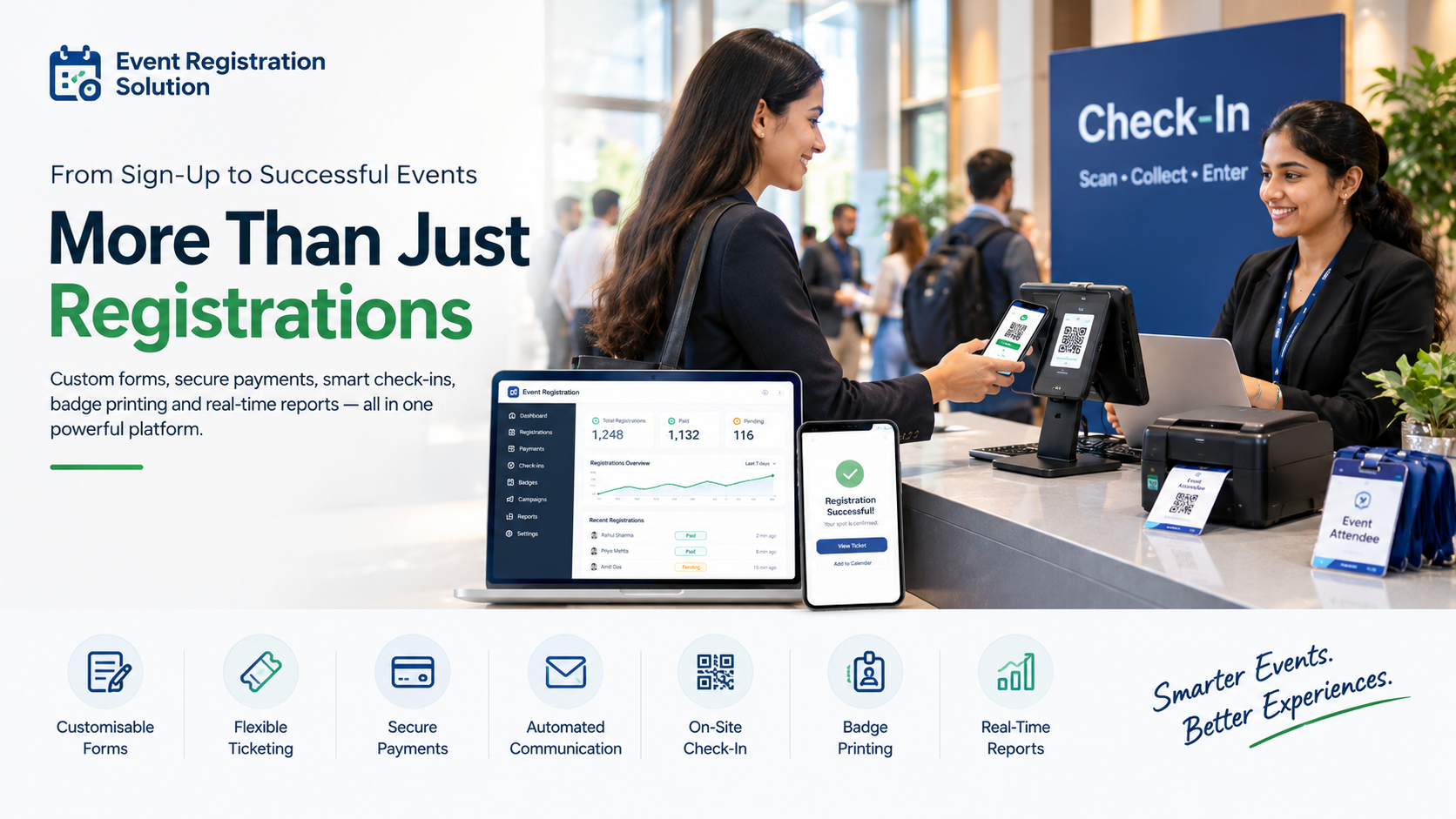
Registrations are open, forms are filling up, and then the chaos begins: duplicate entries, missing payments, long queues.
A basic event registration solution only collects names and payments. A complete one also handles custom forms, automated emails, on-site check-in, badge printing and live reports in one connected workflow. That difference decides whether your event runs smoothly or turns into a spreadsheet nightmare.
If you organise conferences, college fests, corporate meets, exhibitions or workshops in India, this guide shows what to look for, which mistakes to avoid and how AccessEase helps you run smarter events from the first sign-up to the final report.
✅ Quick Summary
- A basic tool stops at sign-up. A complete platform manages payments, communication, check-in, badges and reports.
- Check-in and badge printing link your registration data to event day.
- Automation should handle every repeatable task, from confirmations to reminders.
- The lowest price often hides missing features and extra fees.
- AccessEase brings these capabilities together in one dashboard.
What Is an Event Registration Solution, and What Should It Do?
An event registration solution is a complete digital workflow that captures attendee details, takes payments, confirms bookings, manages check-in and reports results. It replaces scattered Google Forms, spreadsheets and WhatsApp follow-ups with one connected platform, so your team spends time on the event, not on admin.
Think of registration as the front door of your event. Everything behind it, from the badge on a lapel to the sponsor report, depends on the data you collect there.
A complete platform ends where your event ends, not where registration closes.
Basic vs Complete: What Separates the Two?
A basic tool stops at the sign-up form, while a complete platform manages the entire attendee journey. The gap shows up after registration closes: check-in, badges, reminders, reconciliation and reporting. If you still export data to Excel to run your event day, you are using a basic tool.
| Capability | Basic Tool | Complete Platform |
| Registration forms | Fixed fields | Custom fields, conditional questions, multiple attendee types |
| Ticketing | One price | Tiers, early-bird pricing, group tickets, promo codes |
| Payments | Manual or offline | Online payments (UPI, cards), receipts, refunds |
| Communication | Manual emails | Automated confirmations, reminders, QR e-tickets |
| Check-in | Printed lists | QR scanning with live attendance count |
| Badges | Designed separately | On-demand badge printing |
| Reporting | Excel export | Real-time dashboards and exportable reports |
| Support | Email only | Setup help and event-day support |
Which column describes your current setup?
Which Features Should a Complete Event Registration Solution Include?
A complete event registration solution should include customisable forms, flexible ticketing, secure online payments, automated communication, on-site check-in, badge printing and real-time analytics. These seven capabilities cover the full attendee journey from first click to final report. Anything less leaves gaps your team fills manually.
1. Customisable Forms and Flexible Ticketing
Your event is not generic, so your form should not be either. Look for custom fields, conditional questions, early-bird pricing, group tickets and promo codes.
One page can then serve delegates, speakers, sponsors and students without separate sheets.
2. Secure Online Payments and Clean Records
Payments should reconcile automatically. Check for UPI, card and net banking support, instant receipts, refund handling and GST-ready invoices.
Clean payment records save your finance team days of matching bank statements to attendee lists.
3. Smart Automation: What Good Event Signup Software Handles
Automation separates tools that save time from tools that create more work. Good event signup software sends confirmations, QR tickets, payment receipts and reminders the moment something changes, without anyone clicking send.
- Instant confirmation emails
- QR-coded e-tickets
- Reminders before the event
- Waitlist promotion when seats open
- Post-event feedback surveys
4. On-Site Check-In and Badge Printing
Event day exposes weak tools fast. QR check-in and on-demand badge printing turn registration data into a smooth arrival experience.
Manual check-in is slow because staff search printed lists and write names by hand, while a QR scan takes a few seconds. Across 1,000 attendees, that gap becomes a long queue.
5. Real-Time Reports and Analytics
Good reports answer real decisions: which ticket type sold, which channel brought sign-ups and who attended which session.
Look for live dashboards and exportable data. These numbers help you win sponsors and plan your next event.
👉 Want to see this in action? Book a demo to see how AccessEase works as a complete event registration solution for your next event.
How Does an Event Registration System Work, Step by Step?
An event registration system works in six steps: create the event, build the form, set tickets and prices, publish and promote, automate confirmations, then manage check-in and reports. Each step feeds the next, so a clean setup at the start saves hours on event day.
- Create the event. Set the name, date, venue, capacity and registration deadline.
- Build the form. Ask only what you need. Every extra field adds friction.
- Set tickets and pricing. Add tiers, discounts and payment options.
- Publish and promote. Share the link on your website, social media, email and WhatsApp.
- Automate follow-ups. Confirmations, receipts and reminders go out on their own.
- Run check-in and review reports. Scan QR codes, print badges and track attendance live.
How Much Does Event Registration Software Really Cost?
Event registration software pricing usually combines a platform fee, a per-ticket fee and payment gateway charges, so the sticker price rarely shows the real cost. Compare total cost across features, support and event-day efficiency, not just the headline plan price.
Total cost = platform fee + per-ticket fees + gateway charges + hardware + staff hours.
| Cost Component | What to Ask |
| Platform or plan fee | Is it per event, monthly or annual? |
| Per-ticket fee | Do you pay it, or does the attendee? |
| Payment gateway charges | What percentage applies, and is GST extra? |
| Add-ons | Are check-in, badge printing and reports included? |
| Hardware | Do you need scanners or printers, and who supplies them? |
| Support | Is event-day help included? |
Not sure what you need? Share your event size and format with the AccessEase team and ask for a transparent quote.
Common Mistakes to Avoid When Choosing an Event Registration Solution
The biggest mistakes are choosing on price, ignoring on-site needs, skipping a trial and underestimating support. Each one looks harmless during the buying stage and becomes costly on event day. Avoid them by testing the full attendee journey before you sign.
- Choosing on price alone. Cheap plans often leave out check-in, badges or reports.
- Ignoring event day. A smooth form means little if check-in runs on printed lists.
- Skipping the trial run. Test payments, tickets and scanning before launch.
- Overloading the form. Collect only what you will use.
- Forgetting venue internet. Ask how check-in behaves when connectivity drops.
⚠️ Common Mistake: Buying for the registration page and forgetting everything after it.
Your 8-Point Buying Checklist
- Custom forms and multiple ticket types
- Online payments with automatic receipts
- Automated confirmations and reminders
- QR check-in with a live attendance count
- On-demand badge printing
- Real-time and exportable reports
- Clear, all-inclusive pricing
- Responsive support before and during the event
Why Choose AccessEase as Your Event Registration Solution?
AccessEase is a complete event registration solution that takes organisers from first sign-up to final attendance report. It brings forms, payments, communication, check-in and analytics together in one dashboard. For organisers across India, that means less manual work and a smoother attendee experience.
- Custom registration forms for every attendee type
- Online payments and automatic receipts
- Automated emails and reminders
- QR check-in and badge printing for smooth event days
- Live reports to track registrations and attendance
AccessEase suits conferences, college fests, corporate meets, exhibitions and workshops. No platform replaces good planning, so run a test event first. Learn more at AccessEase
Conclusion
A complete event registration solution does far more than collect names. It builds smart forms, takes secure payments, automates communication, powers fast check-in and badge printing, and turns data into decisions. Before you shortlist tools, ask one question: what happens after someone clicks Register? AccessEase gives Indian organisers a complete workflow in one place. Ready to replace spreadsheets with a smoother process? Visit AccessEase and book a demo today.
FAQs
Should an event registration system include check-in and badge printing?
Yes, an event registration system should include check-in and badge printing, and AccessEase offers both in one platform. Linking them to the registration database lets staff scan a QR code, confirm the attendee and print a badge in seconds. It removes duplicate data entry, shortens queues and gives you live attendance numbers for every session.
Is it smart to pick event registration software just because it’s the cheapest?
No, choosing event registration software on price alone usually costs more later. Cheap plans often leave out check-in, badge printing, reporting or support, and add per-ticket fees. AccessEase bundles these essentials into one platform, which makes total cost easier to compare across your whole event, including staff time saved and errors avoided.
How much automation should event signup software really handle?
Event signup software should automate every repeatable task and leave relationship-building to your team. AccessEase automates confirmations, payment receipts, reminders, waitlist promotions, QR ticket delivery and post-event follow-ups, so nobody copies, pastes or chases manually. Keep a human option for VIPs, refunds and special requests.