You ran a workshop. Eighty people signed up. You have eighty names in a sheet, no idea who was serious, and a follow-up list that feels like guesswork.
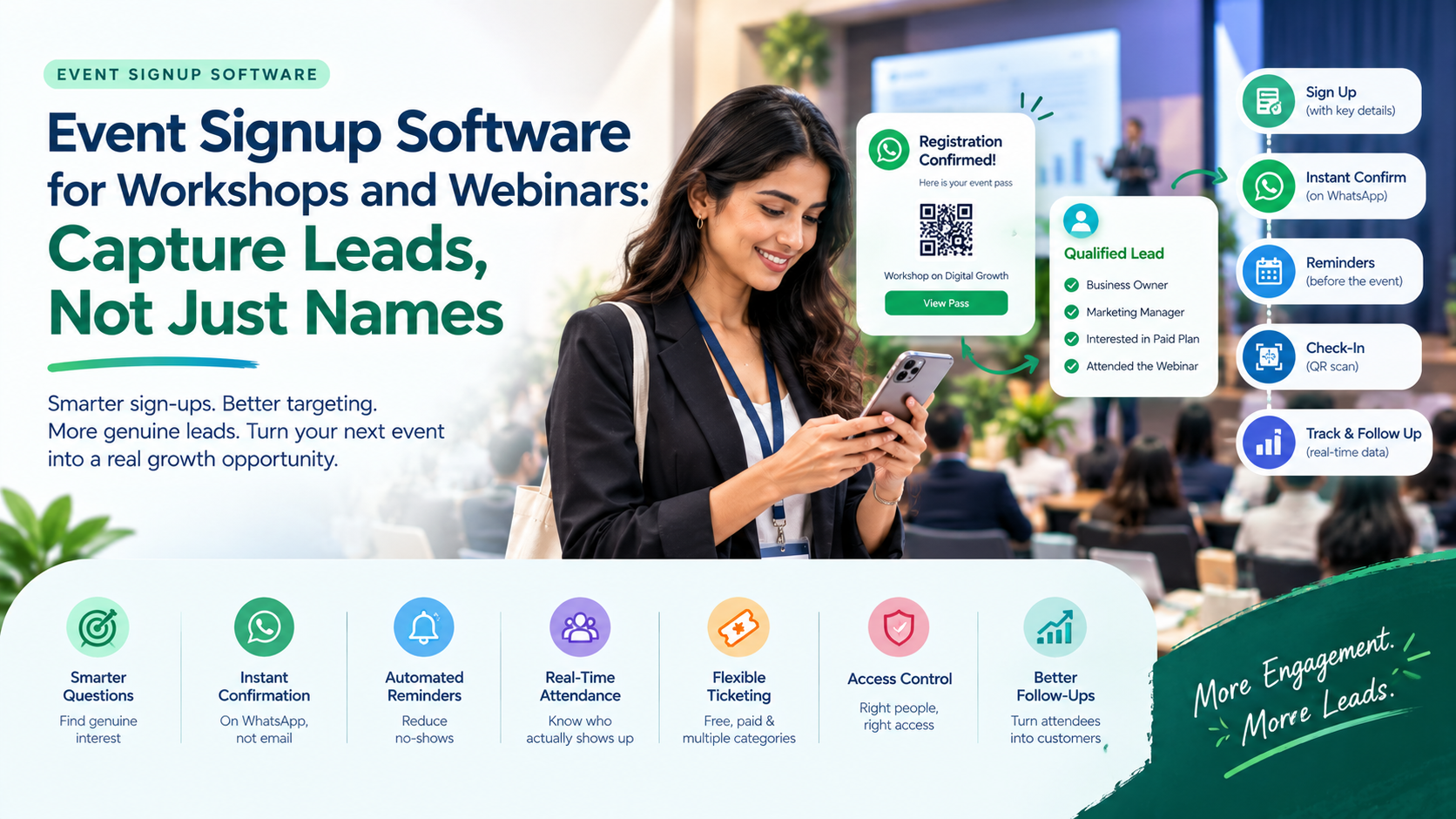
Event signup software captures better leads by asking useful questions at sign-up, confirming guests instantly, reminding them before the session, tracking who actually shows up and giving you clean data for follow-up. Done well, your sign-up page becomes your first sales conversation, not just a name collector.
How Can Event Signup Software Capture Better Leads for Workshops and Webinars?
Event signup software captures better leads when it collects qualifying details at sign-up, confirms guests instantly, keeps them engaged until the session, and records who actually attends. This turns a flat list of names into a ranked list of people worth following up with first.
The difference matters because workshops and webinars attract mixed audiences: genuine buyers, curious learners and people who sign up and never appear. Your sign-up flow is the only filter you control.
The 7 Ways to Capture Better Leads, Ranked by Impact
Rank 1: Ask two or three qualifying questions
Impact: highest
The single best lead-capture upgrade is a smarter form. Instead of only name and number, add questions that reveal intent:
- What is your role or business type?
- What do you hope to learn?
- How soon are you looking to act?
Good event registration software lets you tailor the form to your event. Keep it to three questions at most, since every extra field costs sign-ups.
Rank 2: Confirm instantly, on WhatsApp
Impact: very high
A guest who registers and hears nothing starts to cool off. Instant confirmation reassures them, and WhatsApp is where most Indian audiences actually look. AccessEase sends a unique QR code straight to WhatsApp the moment someone registers, so your first touchpoint lands where it will be read.
Rank 3: Send reminders to cut no-shows
Impact: high
Interest fades between sign-up and session day. A reminder the day before, and another on the day, protects your turnout. More attendees means more people to convert. If your tool cannot remind guests automatically, you will do it by hand, and you will forget.
Rank 4: Track who actually attends
Impact: high
Sign-ups show curiosity. Attendance shows commitment. For in-person and hybrid workshops, a QR scan at the door records exactly who showed up, so your follow-up can start with the people who invested their time. A solid events registration platform gives you this without a separate sheet.
Rank 5: Segment by ticket type or source
Impact: medium-high
Not every lead is equal. A paid-ticket attendee behaves differently from a free one. Tagging guests by ticket type lets you send different follow-ups, such as a course offer for paying guests and a nurture message for free ones.
Rank 6: Keep the form short, but never blank
Impact: medium
Balance is the skill here. Too short, and you capture nothing useful. Too long, and people abandon it. Aim for name, WhatsApp number and two or three questions. Many registration softwares make it easy to add fields, which is exactly why organisers overdo it.
Rank 7: Follow up while the data is live
Impact: medium
Lead quality decays fast. A live dashboard showing registrations and attendance lets you contact interested guests the same day, not next week. Real-time analytics make that possible without exporting files.
Pro Tip: Treat your sign-up form as a mini sales call. If you would not ask the question in conversation, do not put it on the form.
Want to see what a lead-ready sign-up flow looks like? Talk to the AccessEase team for a quick walkthrough.
Name Collector vs Lead Capture Tool
| What you need | A basic form and spreadsheet | Event signup software with lead capture |
| Qualifying questions | Possible, but messy to sort | Built into the sign-up page |
| Instant confirmation | Sent by hand | Automatic, with QR on WhatsApp |
| Reminders | Manual messages | Scheduled follow-ups (check with vendor) |
| Attendance record | Counted by hand | Scan-based check-in |
| Lead segmentation | Filtered manually | Tagged by ticket type |
| Live data | Static sheet | Real-time dashboard |
Example scenario: an 80-seat digital marketing workshop (illustrative)
An organiser asks three questions at sign-up: business type, current challenge and timeline. Guests receive a QR code on WhatsApp, attend, and are scanned in. Afterwards, the organiser filters for guests who attended, run a business and want to act within a month. Twelve warm conversations start the next day, instead of eighty cold messages.
Same workshop. Better pipeline.
Your Lead Capture Checklist
- Two or three qualifying questions on the form
- Branded sign-up page that looks credible
- Instant confirmation on WhatsApp
- Reminder plan before the session
- Attendance recorded, not assumed
- Ticket types tagged for follow-up segments
- Live dashboard checked the same day
Common Mistakes That Waste Good Leads
Common Mistake: Treating registration as the finish line. The sign-up is the start of the relationship, not the end of the task.
- Asking for everything. Ten fields means three sign-ups.
- Staying silent after sign-up. Guests who hear nothing forget you.
- Not recording attendance. You cannot tell warm from cold.
- Choosing by price alone. Many registration softwares look alike until the day.
- Exporting and forgetting. A spreadsheet saved in a folder is not a follow-up.
How AccessEase Turns Sign-Ups Into Leads
AccessEase is event registration software built around how events actually run, so organisers do not have to change how they work. A free workshop may need simple sign-ups, while a paid masterclass may need several ticket categories.
As an event signup software and registration platform in one, AccessEase gives you:
- Free and paid events: multiple ticket categories, with online and cash registrations.
- Branded sign-up page: a registration experience that matches your event.
- Instant QR passes: a unique code per guest, delivered on WhatsApp.
- Access control: privileges such as dining linked to each code.
- Real-time analytics: registrations and check-ins tracked as they happen.
- Integrations and support: it fits your existing tools, with a team to help.
The result is a cleaner list, better timing and a follow-up that starts with your most engaged guests.
Ready to capture leads, not just names? Visit AccessEase and book a demo.
Conclusion
A list of names is not a pipeline. Event signup software turns it into one by asking smart questions, confirming instantly, keeping guests engaged, recording attendance and putting live data in your hands. Rank your priorities, start with better questions, and choose a tool that makes follow-up easy. AccessEase brings branded sign-up, WhatsApp QR confirmation, free and paid tickets and real-time tracking together in one platform. Ready to fill your next workshop with people worth talking to? Visit AccessEase and book a demo.
Frequently Asked Questions
Can event registration software integrate with Zoom or Google Meet?
Many event registration software tools can integrate with Zoom or Google Meet, often by sharing a meeting link in the confirmation or syncing registrations automatically, but support varies. AccessEase offers integrations with existing tools and sends confirmations on WhatsApp. Confirm the exact Zoom and Google Meet options with the AccessEase team for your webinar.
Does an events registration platform send automatic reminders before a webinar?
Many events registration platform tools send automatic reminders before an event, which helps reduce no-shows, though features differ by provider. AccessEase confirms guests instantly on WhatsApp. For scheduled reminders before your webinar, check the current options with the AccessEase team, and confirm them in a demo.
Which registration softwares lets me add custom questions to the signup form?
Many registration softwares let organisers add custom questions to the sign-up form, such as role, interest or timeline, though options vary. AccessEase offers a branded registration page for your event. Ask the AccessEase team which custom field types are currently supported, and keep your form to three questions or fewer.