
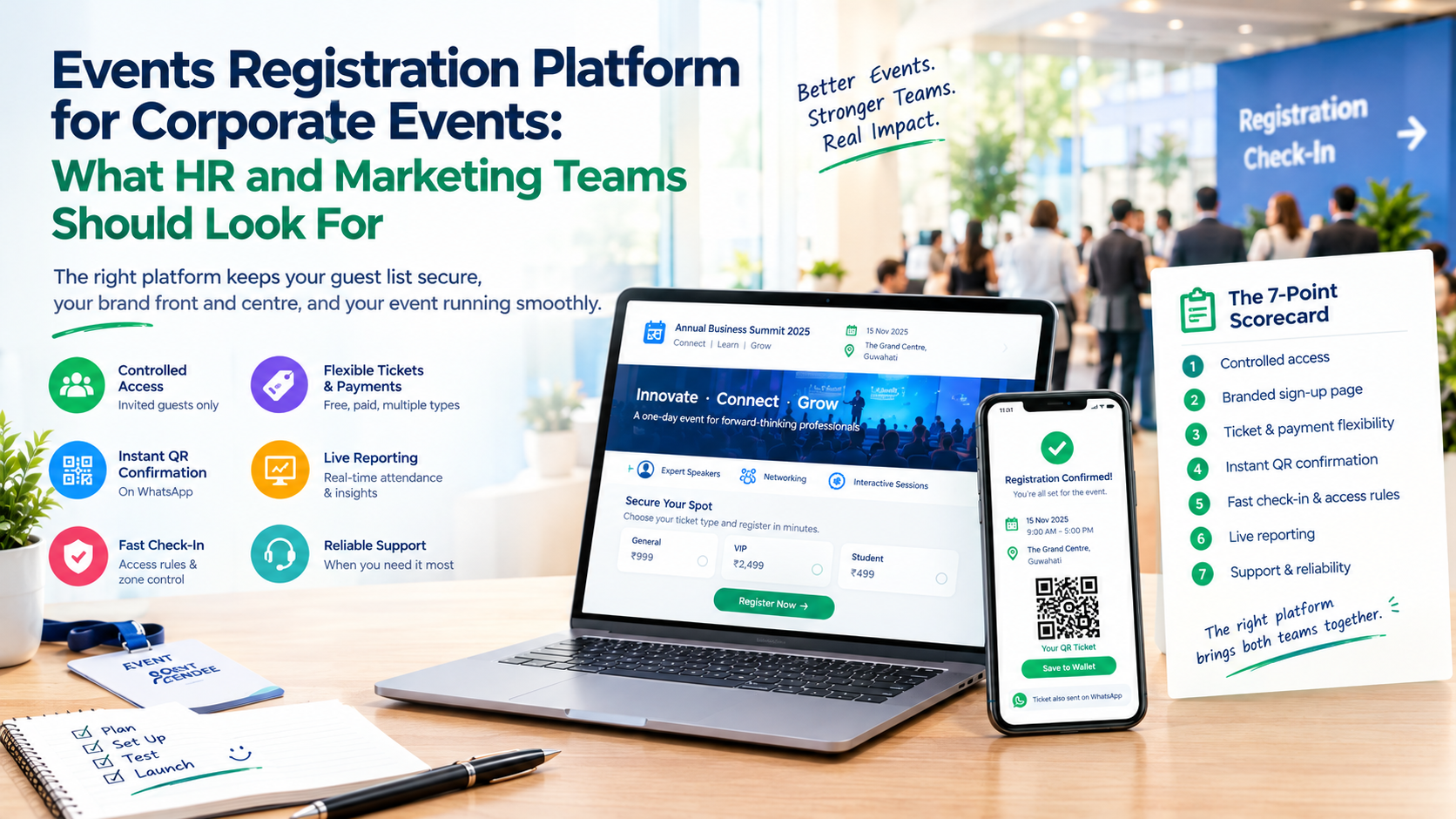
Corporate events put two very different teams on the same tool, and most registration setups please neither. Here is the short answer: corporate teams should look for an events registration platform that offers controlled access, a branded sign-up page, flexible tickets and payments, instant QR check-in, live reporting and dependable support. Everything else is a bonus.
This guide gives both teams a shared scorecard, so your next seminar, townhall or partner meet starts with the right tool.
What Should Corporate Teams Look For in an Events Registration Platform?
Corporate teams should look for an events registration platform that controls who can register, presents a branded sign-up experience, handles free and paid tickets, confirms guests instantly, speeds up check-in and reports attendance live. These capabilities protect your guest list, your brand and your event day at the same time.
Corporate events differ from public ones in one key way: the cost of a mistake is higher. A wrong guest in the room, a delayed VIP or a missing attendance report is noticed by leadership, not just by guests.
Two Teams, One Platform: What HR and Marketing Each Need
| Priority | HR teams usually need | Marketing teams usually need |
| Who registers | Restricted or employee-only access | Open sign-ups that reach a wide audience |
| Sign-up experience | Simple, clear, low-effort | Branded, on-message, attractive |
| Data | Accurate attendance and headcount | Lead details and turnout numbers |
| Event day | Quick, orderly entry | A polished first impression |
| After the event | Attendance record for compliance or reporting | Data to judge campaign success |
The best platform serves both columns without forcing either team to build workarounds.
The 7-Point Scorecard for Corporate Events
A good events registration platform should score well on all seven points below. Rate each one from 1 to 5 during demos, and add the totals.
1. Controlled access
Can you limit sign-ups to invited guests or employees? Corporate events often need guest lists that outsiders cannot join. Ask how the tool prevents forwarded links and duplicate passes.
2. A branded sign-up page
Your event is a representation of your company. The page should carry your logo, colours and description, not a generic template. Marketing will care most here, but HR benefits too, since employees trust pages that look official.
3. Ticket and payment flexibility
Internal events are often free, while client seminars may be paid. Check that one tool handles both, with multiple ticket categories. In India, also check for online and cash registration support.
4. Instant confirmation with a QR pass
Guests should receive confirmation immediately, on a channel they check. For most Indian audiences, that means WhatsApp rather than email alone. A unique QR code per guest makes entry quick and verifiable.
5. Fast check-in and access rules
Look for scan-based entry, plus rules linked to the pass, such as lunch access or a restricted session. This keeps your gate staff from making judgement calls under pressure.
6. Live reporting
Both teams need numbers: registrations, check-ins, no-shows. Live dashboards beat exported spreadsheets, especially when leadership asks “how many are in the room?”
7. Support and reliability
Problems appear when events are live. Ask who answers the phone, how fast, and what happens if the connection drops. Many registration softwares demo beautifully and then go quiet on event day, so test the support response before you sign.
Want to see how AccessEase scores on your own checklist? Talk to the team at AccessEase for a quick walkthrough.
Example Scenario: A 250-Person Partner Seminar (illustrative)
Marketing owns the invitation and sign-up page. HR owns the guest list and attendance record. Without a shared platform, each team keeps its own spreadsheet, and the two lists never match.
With a single platform, registrations flow into one record. Each guest receives a QR code on WhatsApp. At the venue, staff scan guests in, lunch access is validated on the same pass, and both teams watch one live dashboard. Afterwards, one report serves both departments.
Same seminar. One list instead of two.
Matching Event Registration Platforms to Your Corporate Event Type
Different corporate events stress different features. Match the platform to the event, not the other way round.
- Internal town halls and training sessions: controlled access, quick scan entry, attendance records.
- Client seminars and product launches: branded sign-up, ticket categories, payment handling, lead data.
- Conferences and multi-session events: access rules by pass type, multiple gates, live reporting.
- Annual celebrations and gatherings: guest lists, plus-ones, dining or zone access.
When comparing event registration platforms, run a 20-minute test on each shortlisted tool:
- Register as a guest on your phone
- Pay (if applicable) and receive the confirmation
- Scan the QR code on a second phone
- Check that the dashboard updated instantly
- Contact support with a question and note the response time
Red Flags: When a Platform Will Cost You Later
Common Mistake: Choosing on price or brand name alone, then discovering the gaps during your CEO’s keynote.
- No way to restrict registration. Anyone with the link can sign up.
- Manual confirmations. If your team must reply to each guest, it is not automated.
- No access rules. Staff end up deciding entry at the counter.
- Exports only, no live data. You will learn turnout after the event, not during it.
- Vague answers on support. If the vendor cannot name who helps you on the day, assume nobody will.
How AccessEase Serves Both HR and Marketing Teams
AccessEase is an events registration platform built around how events actually run, so organisers do not have to change how they work. A small internal session may need only free sign-ups, while a ticketed client seminar may need several paid categories.
Here is how AccessEase maps to the scorecard:
- Flexible registration: free and paid events, multiple paid ticket categories, online and cash registrations.
- Branded sign-up page: a registration experience that matches your identity.
- Instant QR passes: a unique code per guest, delivered on WhatsApp.
- Access control: privileges such as dining linked to each guest’s code.
- Real-time analytics: registrations and check-ins tracked as they happen.
- Integrations and support: it fits your existing tools, with a team to help.
As event registration software, it gives HR a clean record and gives Marketing a polished front door, from one system.
Ready to replace two spreadsheets with one platform? Visit AccessEase and book a demo.
Conclusion
Corporate events succeed when HR and Marketing share one source of truth, and that starts with choosing the right events registration platform. Use the seven-point scorecard, test a real scan, and be honest about support before you sign. Prioritise controlled access, branded sign-up, flexible tickets, instant QR confirmation, fast check-in and live reporting. AccessEase brings these together for teams that want events to run smoothly and reports they can trust. Ready to compare it with your shortlist? Visit AccessEase and book a demo.
Frequently Asked Questions
Does event registration software support invite-only or employee registration?
Many event registration software tools support restricted sign-ups through invite links, private pages or approved guest lists, but capabilities vary. AccessEase offers a branded registration page and access control linked to each guest’s pass. Confirm the exact invite-only and employee-list options for your event with the AccessEase team.
What are the best event registration platforms for corporate seminars?
The best event registration platforms for corporate seminars combine a branded sign-up page, ticket categories, instant QR confirmation, fast check-in and live attendance reporting. AccessEase offers free and paid registration, WhatsApp QR delivery, access control and real-time analytics. Shortlist two or three tools and test a real scan before deciding.
Do registration softwares offer approval workflows for attendees?
Some registration softwares offer approval workflows, where organisers review a registration before confirming it, but this is not universal. If your seminar needs approvals, ask for a demonstration first. AccessEase’s team can explain how approval-style flows can be handled for your event and which options are currently available.